
Gallery / How it works
JSON Contract Lab
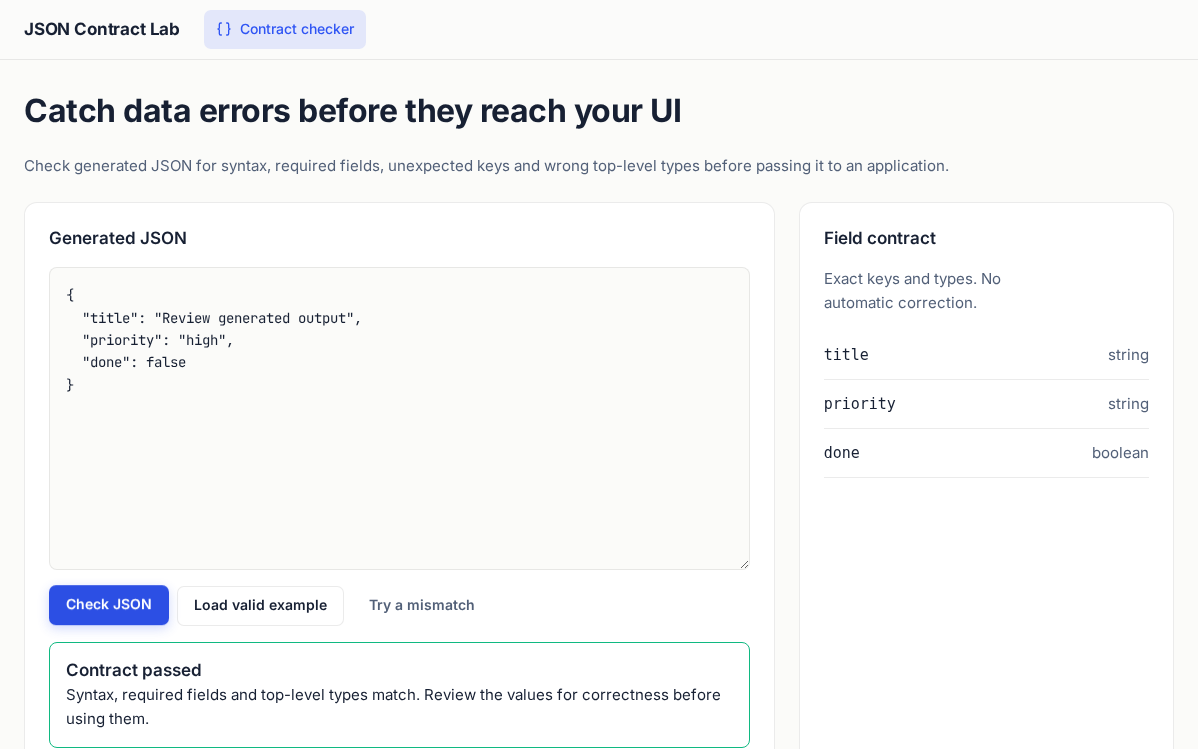
Paste generated JSON and check its syntax, required keys and field types. Try a deliberate mismatch to see exactly which fields fail.
Try this workflow
- Click Check JSON to validate the example against the visible field contract.
- Click Try a mismatch, check it, and read the missing-field and unexpected-key errors. Edit the JSON to resolve them.
- Open the spec in Studio to change SHAPE. All fields are required; nested objects and arrays are checked only for their top-level type. Values stay in memory and are not sent or saved.
Input stays in memory and is not sent or saved.
The AppSPEC
<?xml version="1.0" encoding="UTF-8"?>
<APP ID="json-contract-lab" NAME="JSON Contract Lab" THEME="modern-minimal" WIDTH="1240px">
<DATA MODE="local" />
<STATE ID="check" NAV="Contract checker" ICON="braces">
<TEXT STYLE="h1" TEXT="Catch data errors before they reach your UI" />
<TEXT STYLE="muted" TEXT="Check generated JSON for syntax, required fields, unexpected keys and wrong top-level types before passing it to an application." />
<JSON-CHECK SHAPE="title:string,priority:string,done:boolean" LABEL="Generated JSON" VALUE="{"title":"Review generated output","priority":"high","done":false}" />
<TEXT STYLE="small" TEXT="Nothing is sent or saved. A passing contract checks structure, not truth or authorization." />
</STATE>
</APP>