
Gallery / How it works
LLM request failure guide
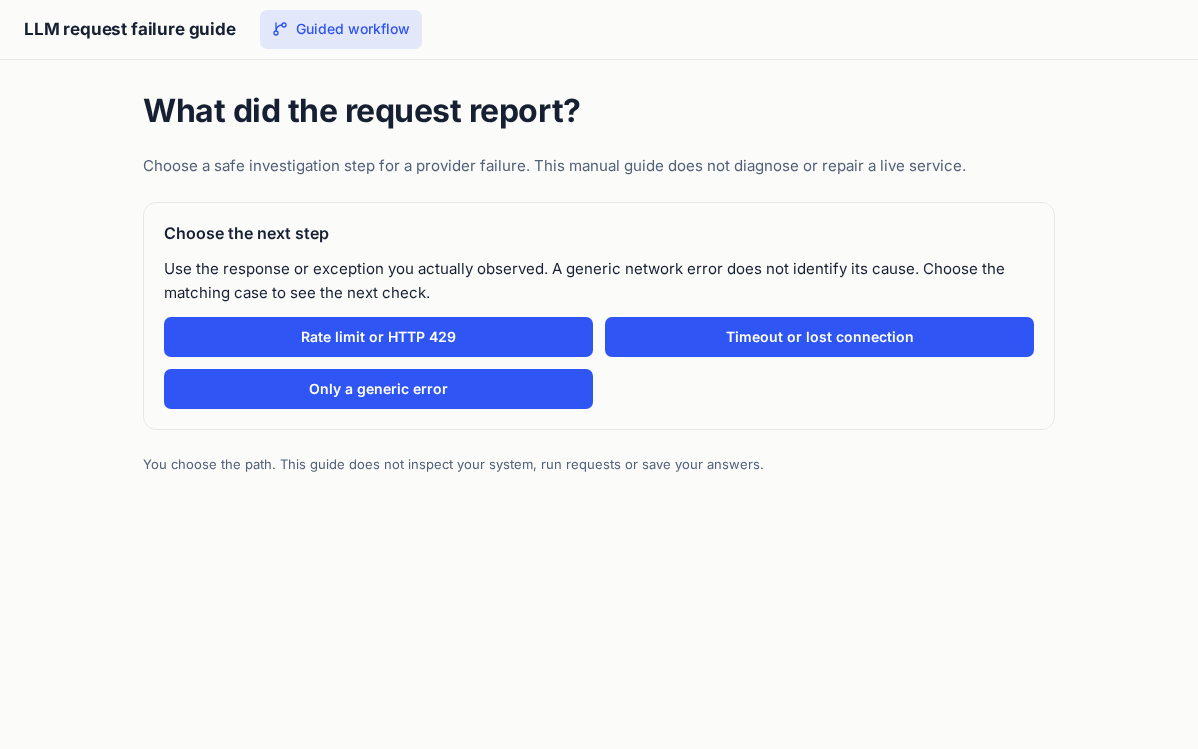
Choose a safe investigation step for a provider failure. This manual guide does not diagnose or repair a live service.
Try this workflow
- Choose the option that matches your own observations.
- Follow the branch to a suggested investigation or next action.
- Use Start again to compare another case. This guide does not inspect a service or perform a repair.
Choices are not sent or saved. This is a manual guide; it does not inspect your system.
Technical references
This manual guide uses the HTTP specifications for 429 rate limits and retry safety. It does not identify the cause of an unseen failure or repair another service.
The AppSPEC
<?xml version="1.0" encoding="UTF-8"?>
<APP ID="guide-70fd08beb4d87c75683baa66" NAME="LLM request failure guide" THEME="modern-minimal" WIDTH="1240px">
  <DATA MODE="local" />
  <STATE ID="step0" WIDTH="960px" NAV="Guided workflow" ICON="git-branch">
    <TEXT STYLE="h1" TEXT="What did the request report?" />
    <TEXT STYLE="muted" TEXT="Choose a safe investigation step for a provider failure. This manual guide does not diagnose or repair a live service." />
    <CARD TITLE="Choose the next step" STYLE="outline">
      <TEXT TEXT="Use the response or exception you actually observed. A generic network error does not identify its cause. Choose the matching case to see the next check." />
      <GRID COLS="2" MIN="240px" GAP="12px">
        <BUTTON LABEL="Rate limit or HTTP 429" ACTION="step1" FULL="true" />
        <BUTTON LABEL="Timeout or lost connection" ACTION="step2" FULL="true" />
        <BUTTON LABEL="Only a generic error" ACTION="step3" FULL="true" />
      </GRID>
    </CARD>
    <TEXT STYLE="small" TEXT="You choose the path. This guide does not inspect your system, run requests or save your answers." />
  </STATE>
  <STATE ID="step1" WIDTH="960px">
    <TEXT STYLE="h1" TEXT="Read the rate-limit response" />
    <CARD TITLE="Suggested next action" STYLE="outline">
      <TEXT TEXT="HTTP 429 means too many requests. A response can include Retry-After, but that header is optional. Before repeating a request, establish whether repeating the operation is safe. A rate limit alone does not establish retry safety." />
    </CARD>
    <BUTTON LABEL="Start again" ACTION="step0" STYLE="secondary" />
    <TEXT STYLE="small" TEXT="You choose the path. This guide does not inspect your system, run requests or save your answers." />
  </STATE>
  <STATE ID="step2" WIDTH="960px">
    <TEXT STYLE="h1" TEXT="Reconcile the request outcome" />
    <CARD TITLE="Suggested next action" STYLE="outline">
      <TEXT TEXT="A timeout does not establish whether an operation was applied. Check the original operation outcome before repeating a mutation. Preserve your own task context while investigating. This guide cannot inspect the provider." />
    </CARD>
    <BUTTON LABEL="Start again" ACTION="step0" STYLE="secondary" />
    <TEXT STYLE="small" TEXT="You choose the path. This guide does not inspect your system, run requests or save your answers." />
  </STATE>
  <STATE ID="step3" WIDTH="960px">
    <TEXT STYLE="h1" TEXT="Inspect diagnostic details locally" />
    <CARD TITLE="Suggested next action" STYLE="outline">
      <TEXT TEXT="Check the status code or exception type locally. Record only the details you need, excluding keys, cookies, tokens and private payloads. If the request may have changed state, establish its outcome before retrying." />
    </CARD>
    <BUTTON LABEL="Start again" ACTION="step0" STYLE="secondary" />
    <TEXT STYLE="small" TEXT="You choose the path. This guide does not inspect your system, run requests or save your answers." />
  </STATE>
</APP>