
Gallery / How it works
Constrained UI Starter
A local notes app with a fixed layout. Try create, edit and delete, then follow the HOWTO to let an LLM change labels without changing the interface.
Try this workflow
- Add a note using the form. It appears in the table.
- Select a table row to edit or delete it. Reload to check that your changes persist.
- Open the HOWTO for the bounded label contract and template compiler.
Records stay in this browser. Reset demo data clears this saved records for this app.
The AppSPEC
<?xml version="1.0" encoding="UTF-8"?>
<APP ID="constrained-ui-starter" NAME="Constrained UI Starter" THEME="modern-minimal" WIDTH="1240px">
  <DATA MODE="local" />
  <STATE ID="notes" NAV="Notes" ICON="list">
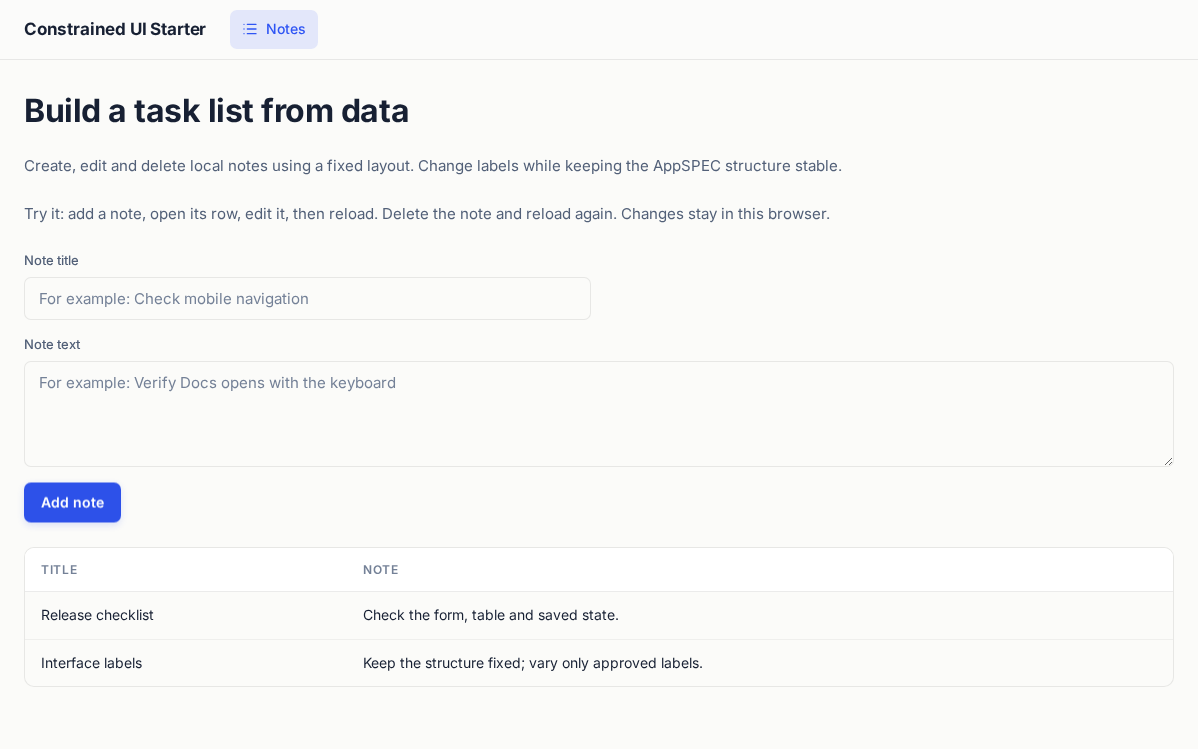
    <TEXT STYLE="h1" TEXT="Build a task list from data" />
    <TEXT STYLE="muted" TEXT="Create, edit and delete local notes using a fixed layout. Change labels while keeping the AppSPEC structure stable." />
    <TEXT STYLE="muted" TEXT="Try it: add a note, open its row, edit it, then reload. Delete the note and reload again. Changes stay in this browser." />
    <FORM SAVE="recipe_notes" SUBMIT-LABEL="Add note" COLS="2">
      <FIELD NAME="title" LABEL="Note title" PLACEHOLDER="For example: Check mobile navigation" REQUIRED="true" />
      <FIELD NAME="body" LABEL="Note text" PLACEHOLDER="For example: Verify Docs opens with the keyboard" REQUIRED="true" />
    </FORM>
    <TABLE SRC="recipe_notes" OPEN="edit" EMPTY="No notes yet. Add one above to try the workflow.">
      <COL FIELD="title" LABEL="Title" />
      <COL FIELD="body" LABEL="Note" />
    </TABLE>
  </STATE>
  <STATE ID="edit" WIDTH="640px">
    <TEXT STYLE="h1" TEXT="Edit note" />
    <FORM UPDATE="recipe_notes" TO="notes" SUBMIT-LABEL="Save changes">
      <FIELD NAME="title" LABEL="Note title" REQUIRED="true" />
      <FIELD NAME="body" LABEL="Note text" TYPE="textarea" REQUIRED="true" />
    </FORM>
    <BUTTON LABEL="Delete note" ACTION="remove" STYLE="danger" ICON="trash-2" />
  </STATE>
  <WIRE LABEL="remove" DELETE="recipe_notes" TO="notes" />
</APP>